Preparing iPhone for Return
1min read
Make sure you turn off "Find My" on your device before giving it away or sending it in for a repair. Otherwise, your device will be locked – anyone you give the device to won't be able to use it normally and Apple technicians won't be able to perform service repairs. Just sign out of iCloud and then erase all content and settings. This will erase your device completely, remove it from your Apple ID and turn off "Find My".
Steps are as follow:
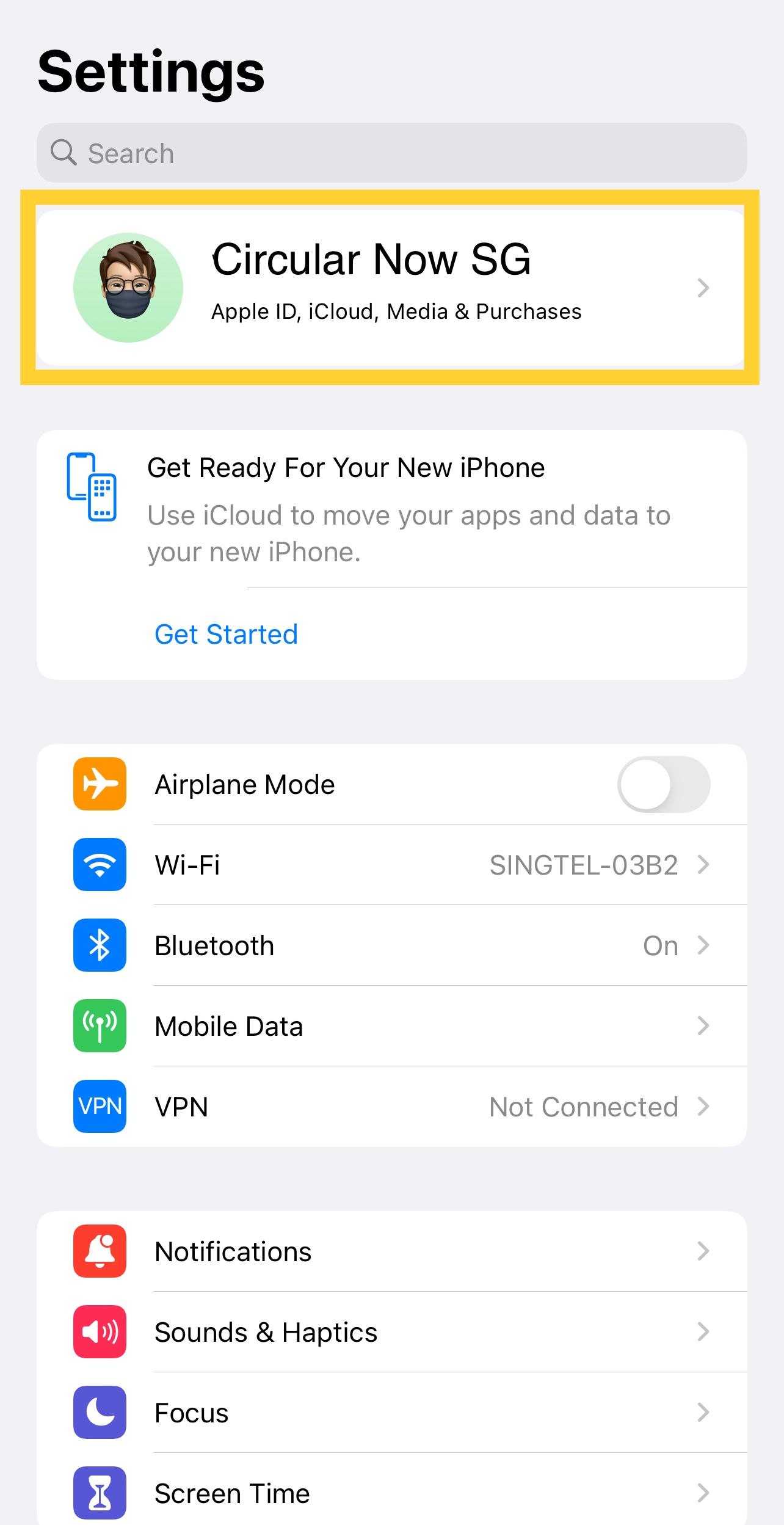
- Tap Settings > [Your Name]
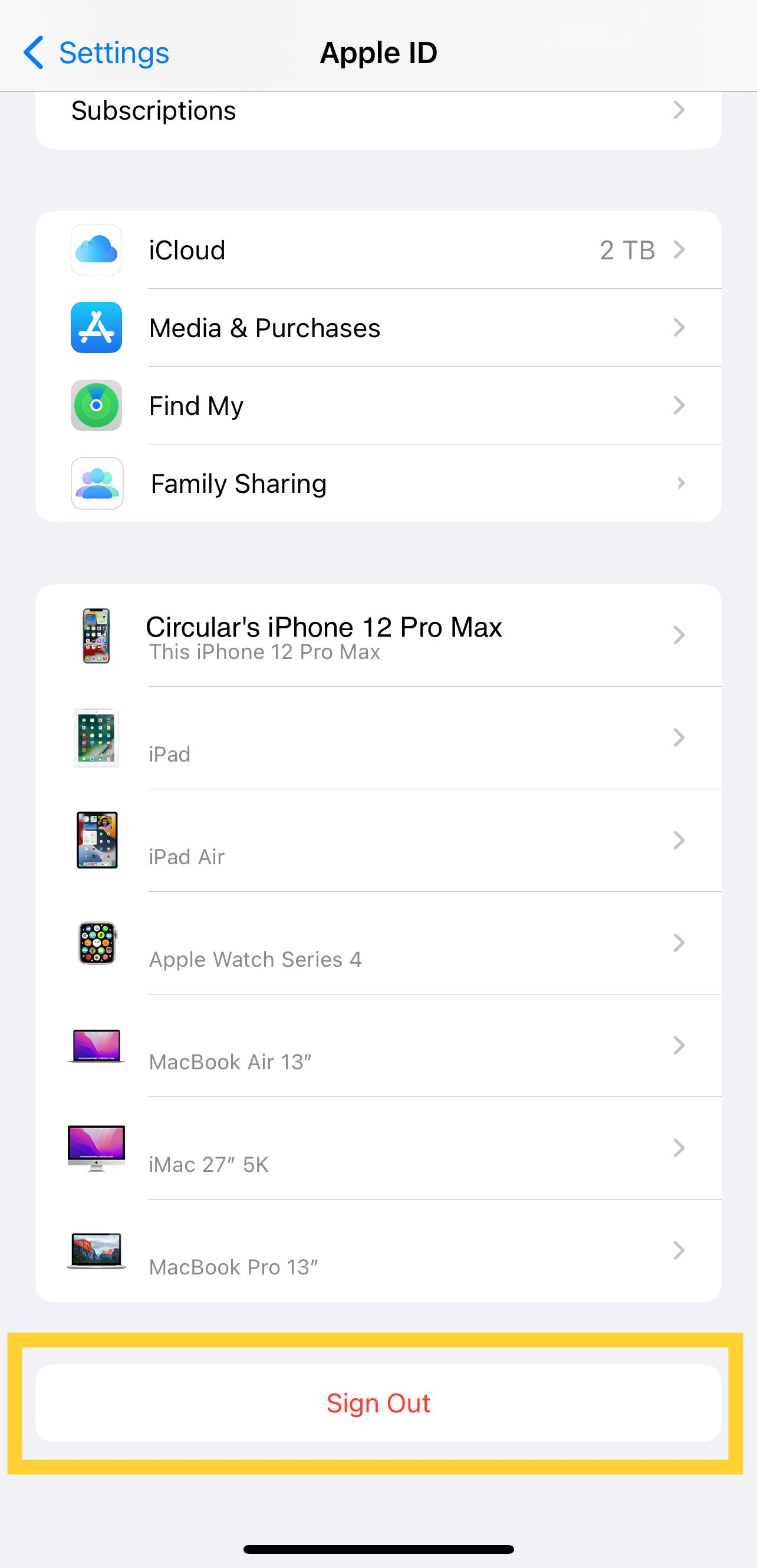
- Scroll down and tap "Sign Out"
- Enter your Apple ID password and tap "Turn Off"
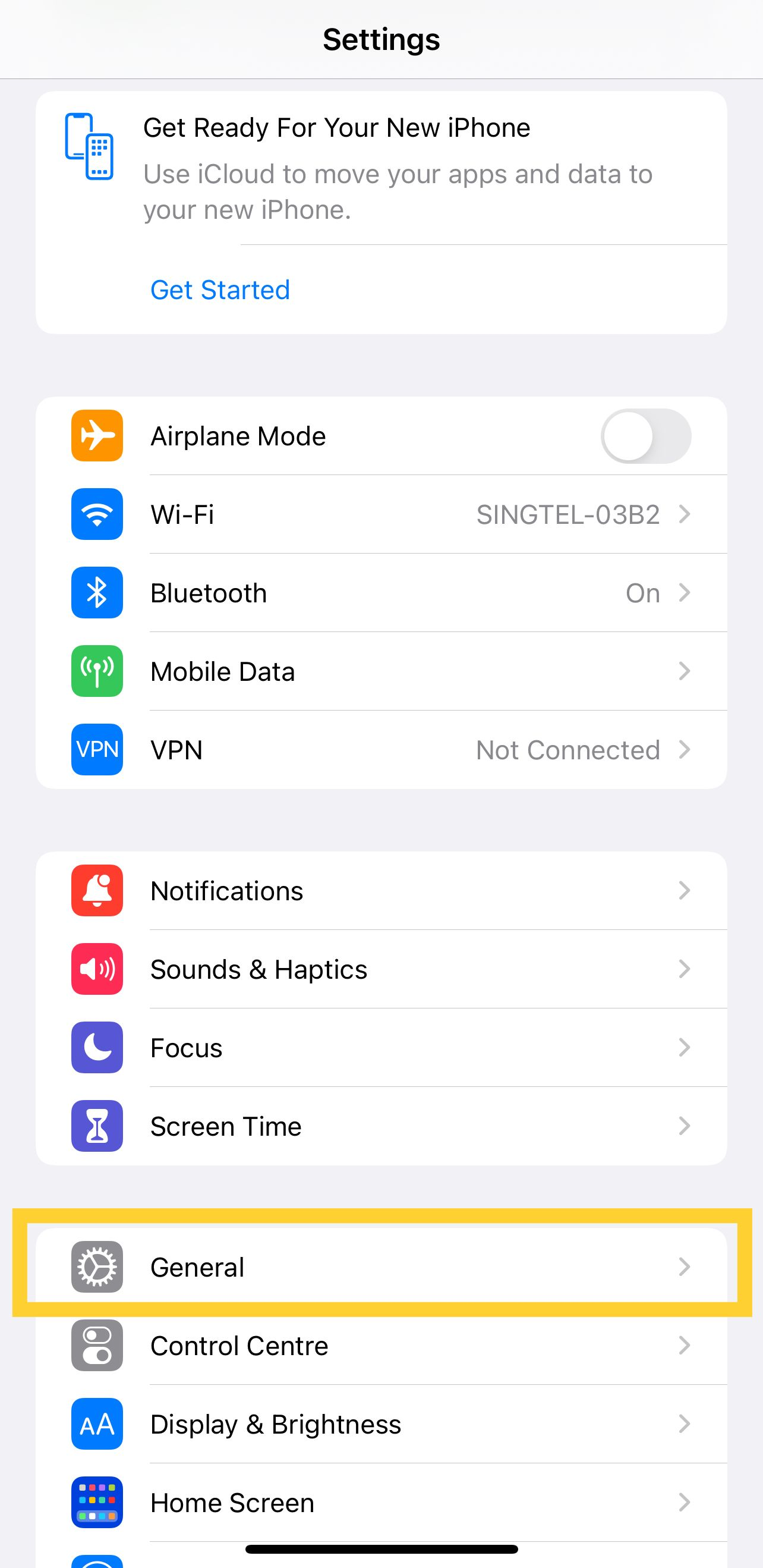
- Go back to Settings > General
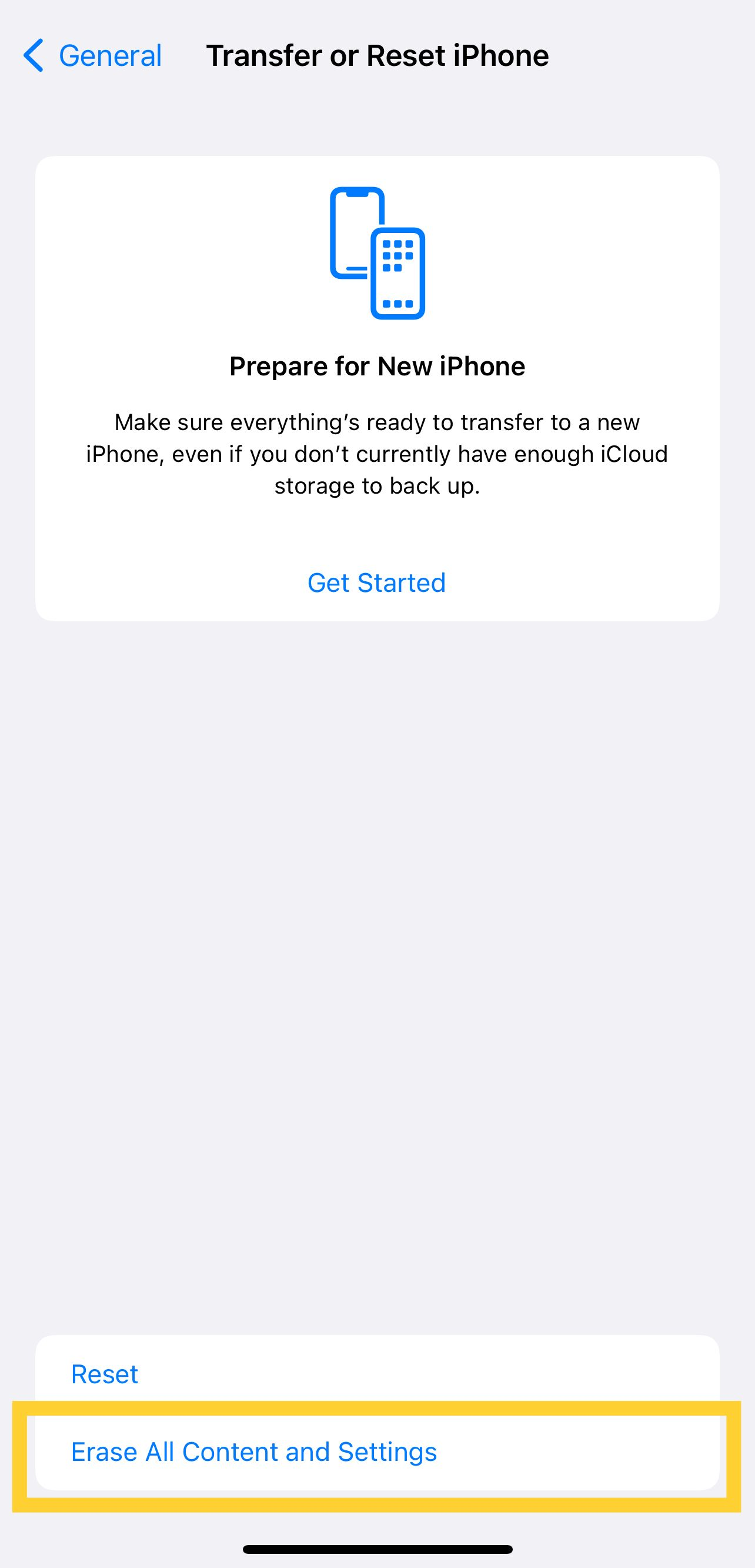
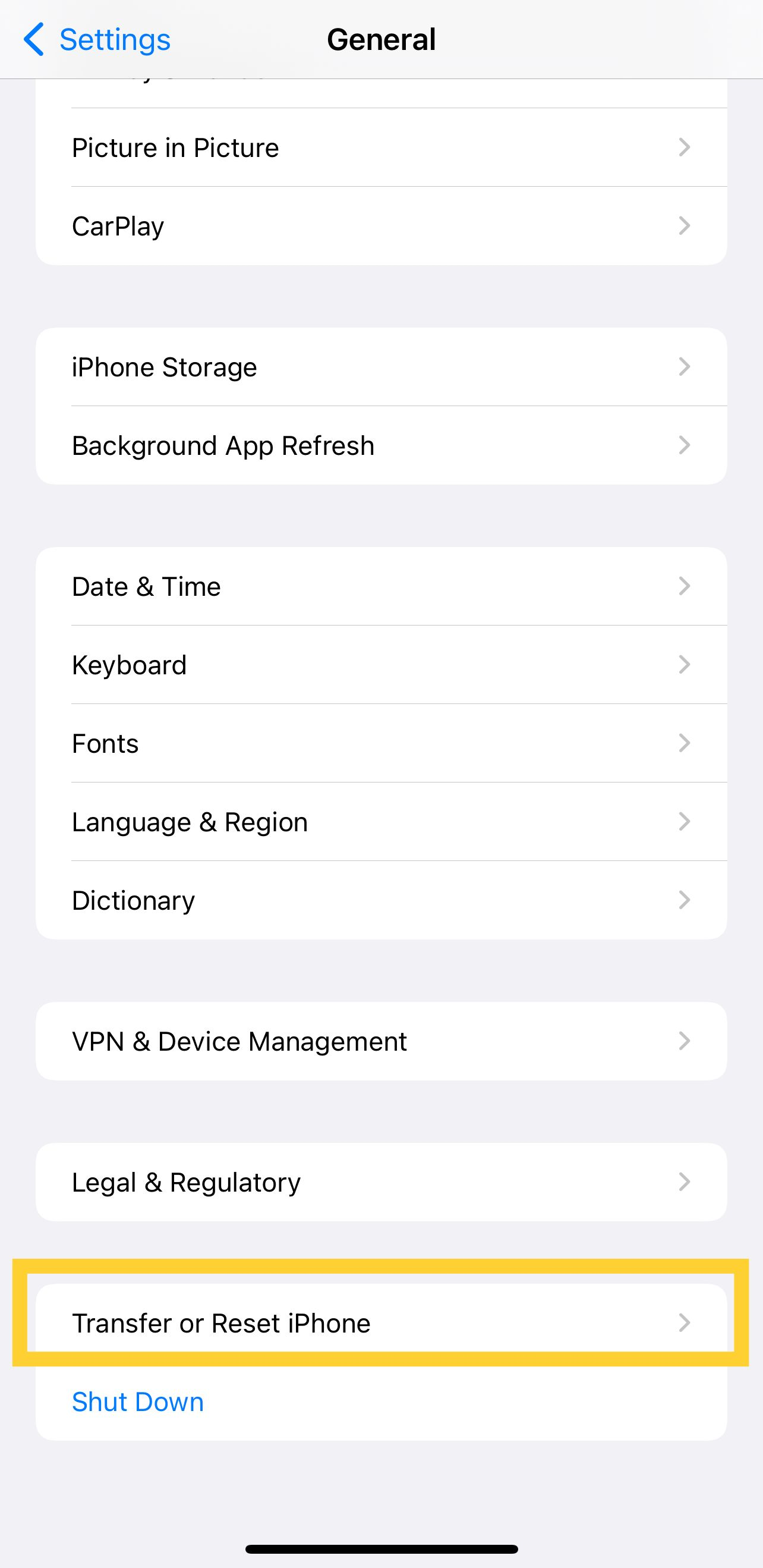
- Tap "Transfer or Reset [Device]"
- Erase All Content and Settings
\
\
==1. Tap Settings > [Your Name]==
\
==2. Scroll down and tap "Sign Out"==
\
==3. Enter your Apple ID password and tap "Turn Off"== 
==4. Go back to settings > General==
\
==5. Tap "Transfer" or "Reset [Device]"==
\
==6. Tap on "Erase All Content and Settings"==