
Preparing Samsung Galaxy for Return
1min read
Make sure you reset on your device before returning to Circular or sending it in for a repair. Otherwise, your device will be locked – anyone you give the device to won't be able to use it normally and Samsung technicians won't be able to perform service repairs.
Steps are as follow:
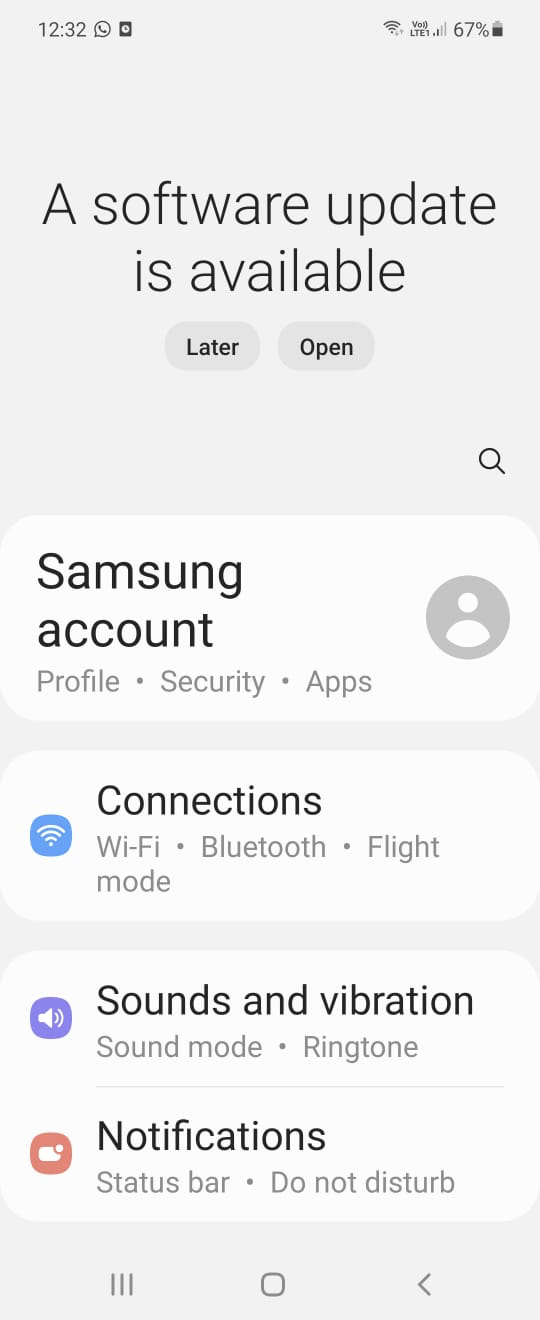
- Open the Settings app
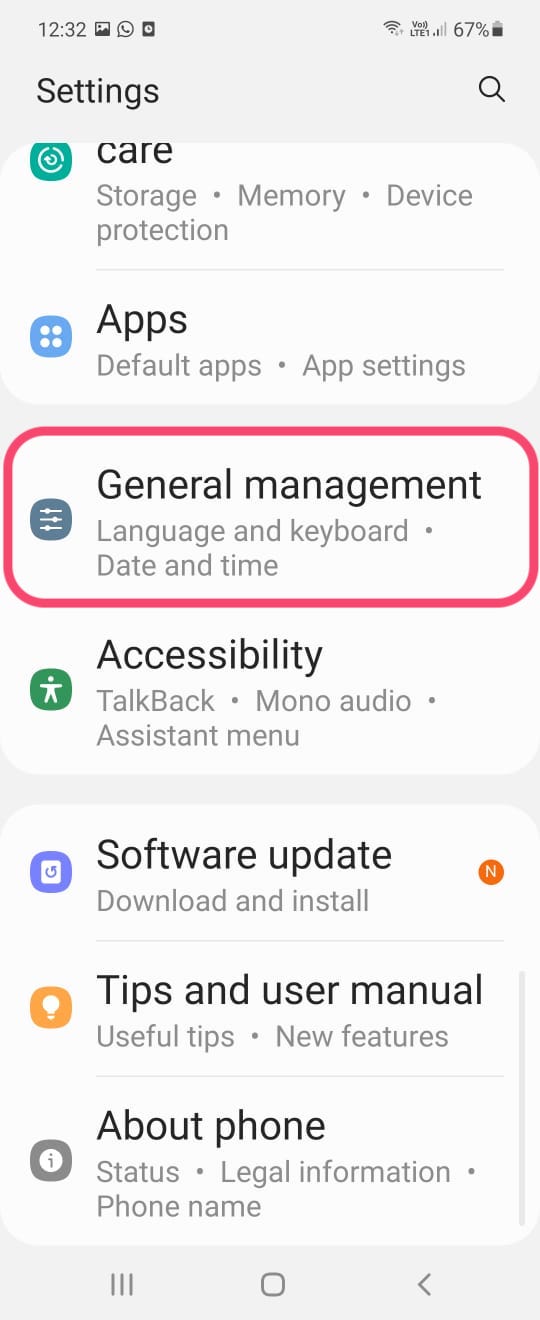
- Locate General Management
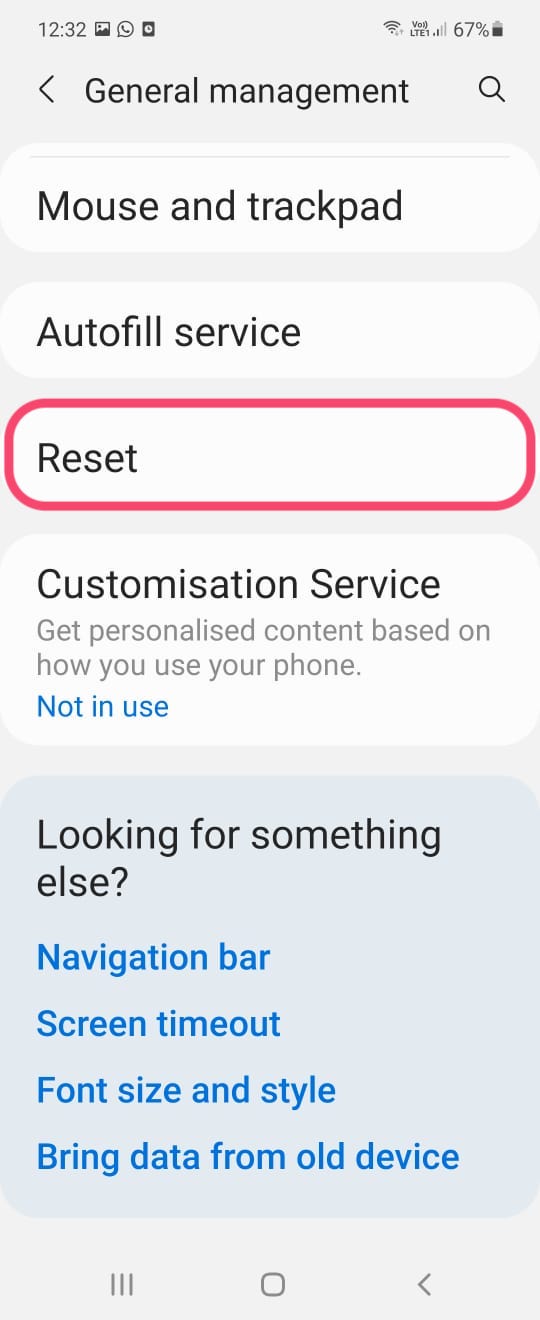
- Tap on Reset
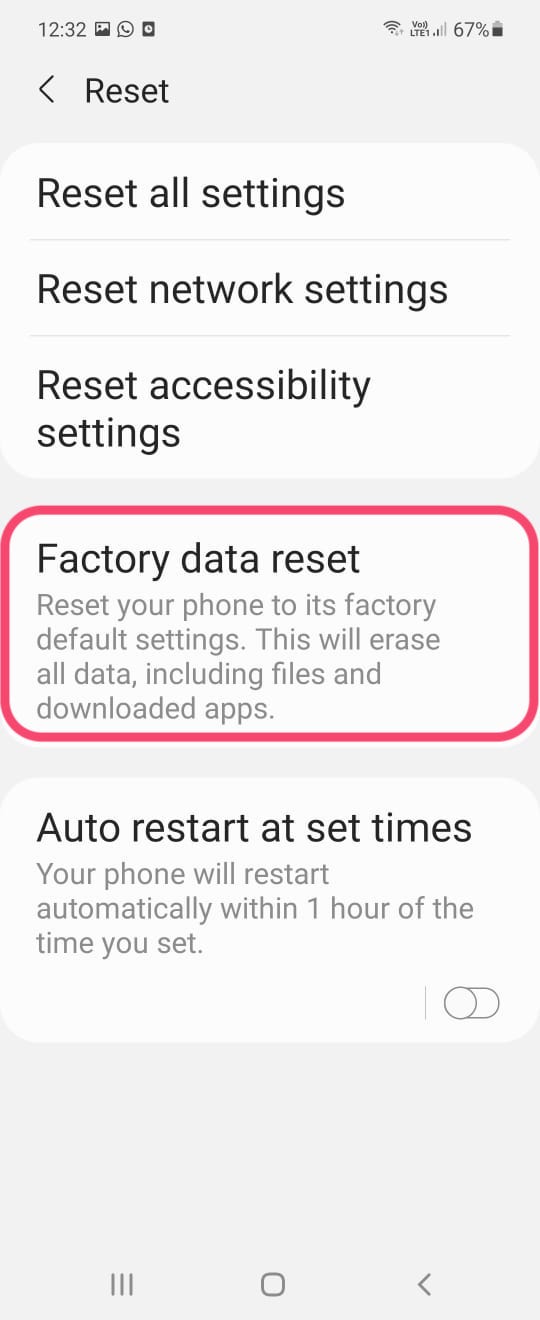
- Choose Factory data reset
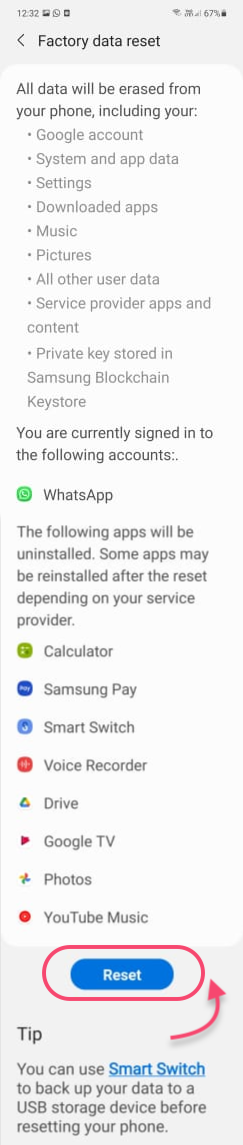
- Click on Reset at the bottom
- Enter password (if any)
- Done
\
\
==1. Open the Settings app==
\
==2. Locate General Management==
\
==3. Tap on Reset==
\
==4. Choose Factory data reset==
\
==5. Click on Reset at the bottom==
\
==6. Enter password (if any)==
\
==7. Done==
\